AI

Evaluating an AI-Assisted Customer Support Workflow

Understand how AI-assisted support should handle approved knowledge, uncertainty, human handoff, staff ownership, and failed downstream actions.

By Sunbot Labs

Updated

5 min read

Illustration of an AI support request moving through evidence, confidence, answer, and handoff

AI-assisted support depends on more than the quality of a chat response. Reliable operation requires approved answer sources, verified customer context, clear handoff conditions, useful information for staff, and visible recovery when ticketing, booking, or notification systems fail.

Follow one request from question to resolution path

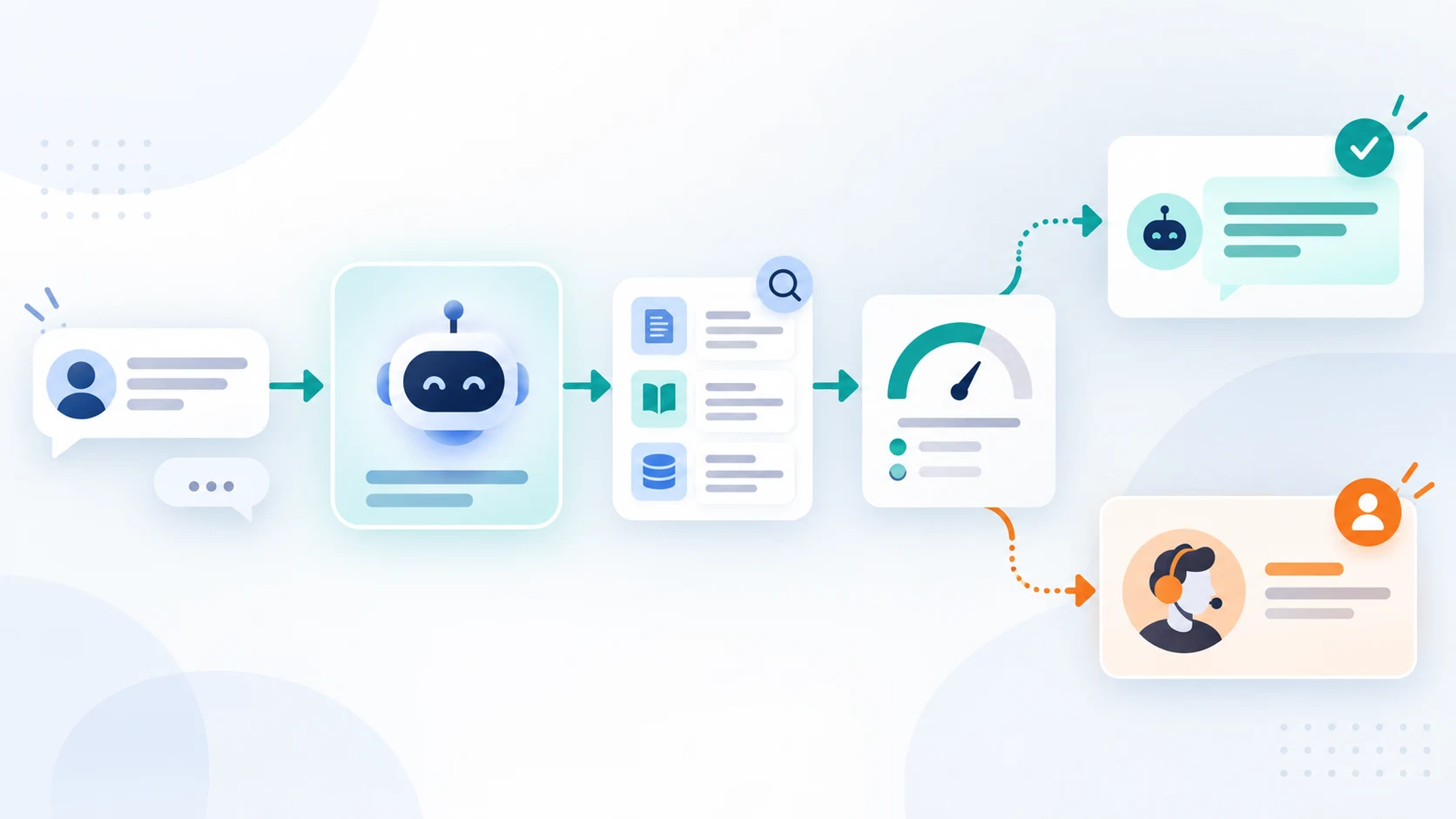
Begin with a recognizable customer question and follow it through source selection, response, extracted context, urgency decision, and next action. This reveals far more than an isolated chat window or a dashboard filled with unexplained totals.

AssistFlow illustrates FAQs, lead capture, service recommendations, urgent escalation, human handoff, and ticket creation in one connected journey. It presents the interface and workflow without connecting to a production AI model or external support system.

Illustration of an AI-assisted support request moving through evidence, confidence, answer, and handoff

Make handoff a first-class workflow

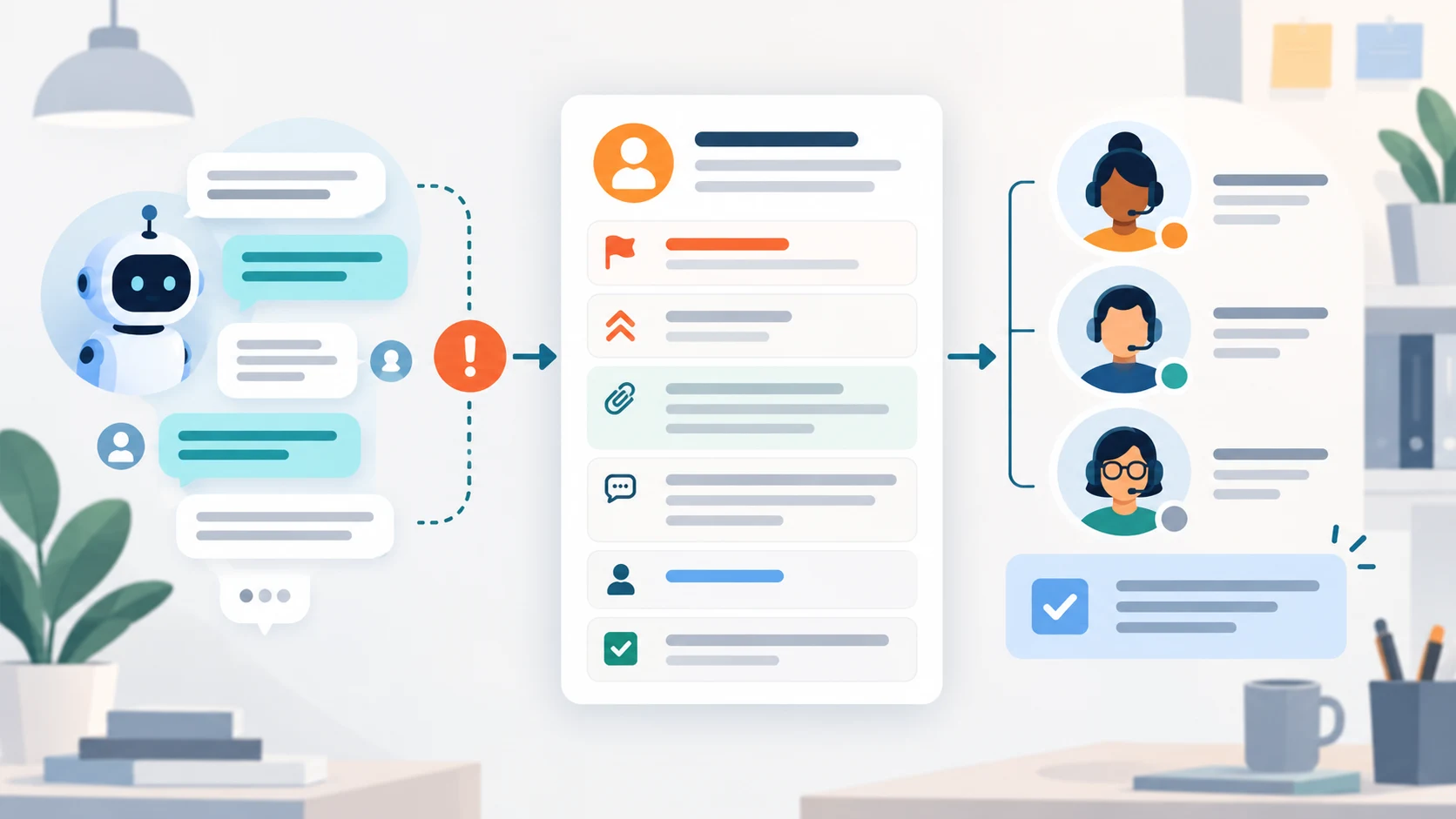
Automation should not hide requests that require a person. The interface needs an explicit handoff state, an owner or queue, the relevant conversation context, and a safe next action.

Sensitive requests should avoid unsupported advice and use conservative escalation language. Production operation also requires domain review, approved policies, identity controls, evaluation, and monitoring beyond the interface.

  • Reason for handoff
  • Urgency and safety context
  • Conversation or call summary
  • Assigned queue or owner
  • Expected staff action
Illustration of an AI support conversation becoming a structured human handoff record

Separate conversation, triage, and channel layers

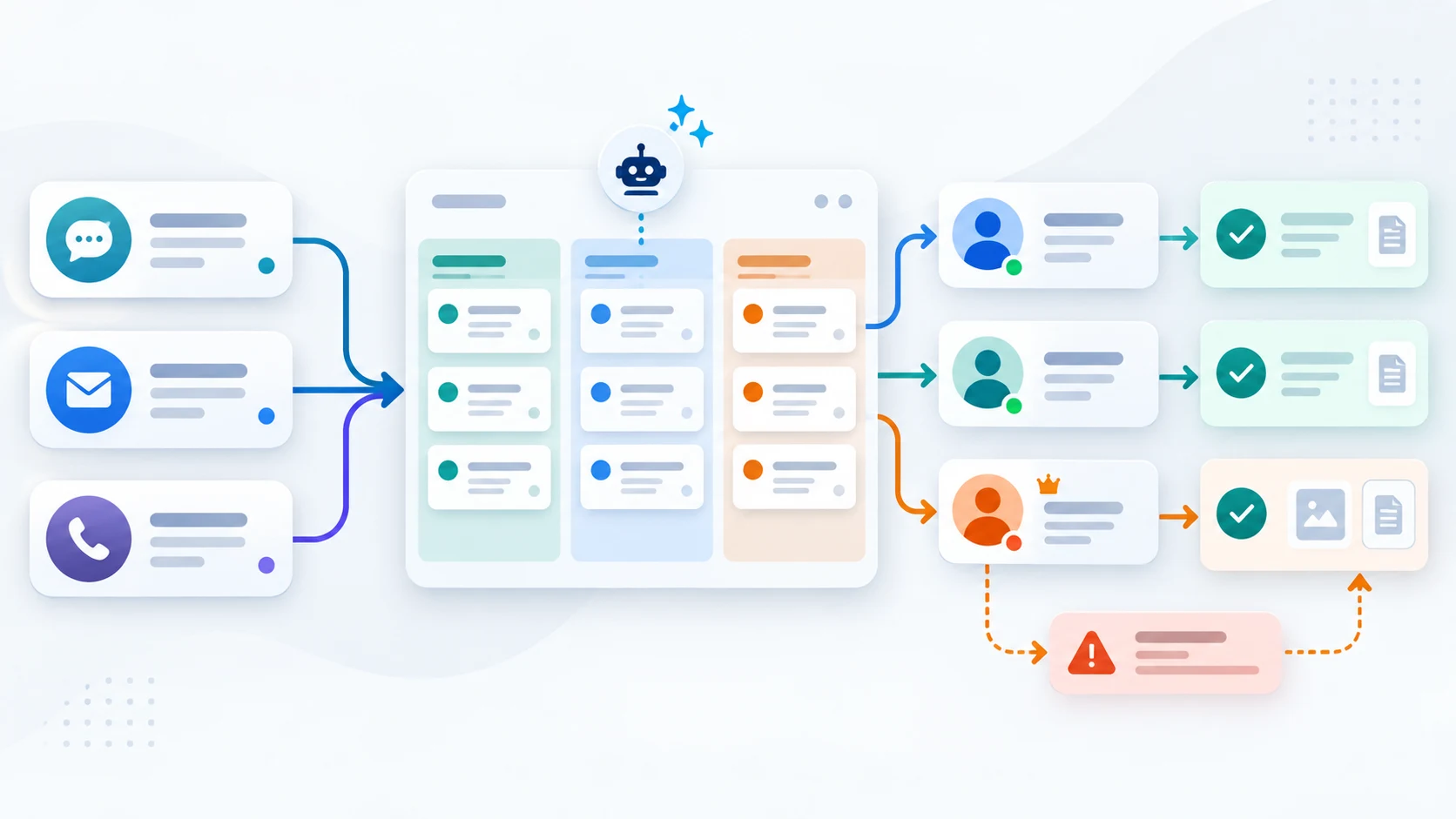
A customer chat, message-triage inbox, and voice receptionist may share workflow concepts, but they depend on different production services. AssistFlow examines chat and handoff, InboxPilot focuses on message classification, and CallPilot maps a voice-call sequence.

Treat each channel as its own integration boundary. Live chat, inbox, telephony, speech, ticketing, and model services have different identity, delivery, failure, and monitoring requirements.

Illustration of chat, email, and voice requests feeding into triage, ownership, and resolution paths

Use staff views to explain accountability

The staff side should answer which conversations need attention, which leads or tickets were created, what the customer asked, and what should happen next. Dashboard totals are useful only when staff can open the records behind them and act.

Production planning must also cover identity, data retention, integrations, permissions, audit history, model evaluation, escalation policies, and operational monitoring.

  • Show the source and evidence used for a response
  • Keep customer-visible status aligned with the staff queue
  • Connect summary values to the underlying conversations and work queues
  • Preserve the conversation record through handoff and follow-up

Voice deserves its own review

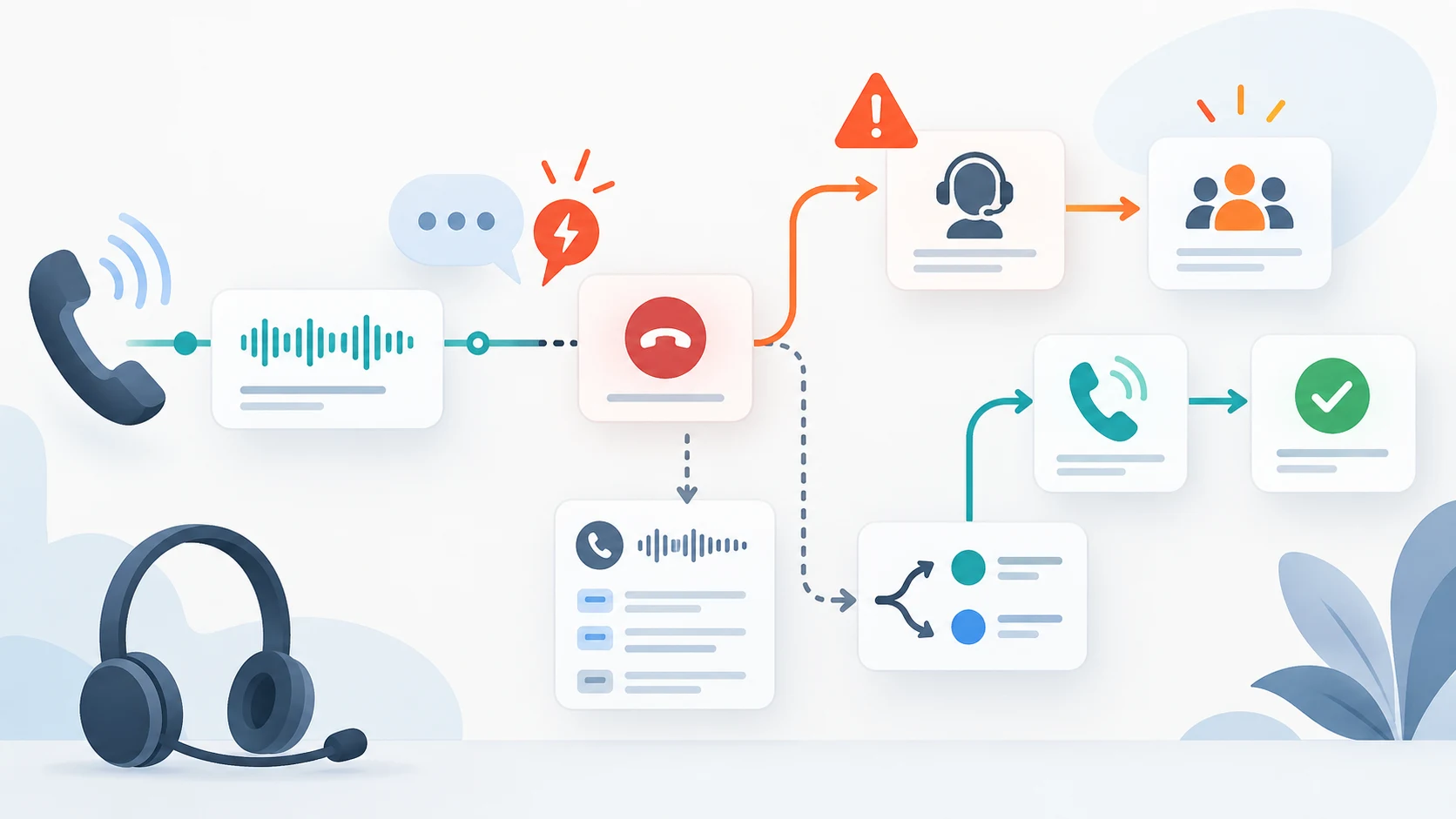
A voice workflow adds timing, interruption, and escalation problems that a chat transcript never surfaces. Reviewing it as a visual sequence helps a team define behaviour before choosing telephony and speech services.

The questions worth asking are practical: what happens when the caller interrupts, when the line drops, or when the request is urgent and no staff member is available.

Illustration of a voice support call sequence with interruption, escalation, transcript evidence, and recovery

Use an evaluation set that includes failure and ambiguity

Test common approved questions, questions with missing context, conflicting policy versions, unsupported account actions, explicit requests for a person, urgent language, abusive input, unavailable source systems, and a failed handoff. Verify the visible response, retrieved source, generated fields, route, priority, and downstream record for each case.

Review whether the customer can tell what happened and whether staff can continue from the evidence provided. Useful measures include grounded-answer coverage, unsupported-answer rate, correct handoff rate, routing corrections, repeated customer information, and downstream action failures. A low handoff count is not a quality measure if unresolved requests are being answered confidently.

Practical questions

Questions that often come up

Does AssistFlow connect to a live AI support model?

No. AssistFlow uses prepared scenarios to present the customer and staff workflow. An AI model, live chat, inbox, telephony, speech, and ticketing services would be separate production integrations.

What is the most important part of an AI support workflow?

The human handoff. Staff need the conversation context, source evidence, urgency, ownership, and next action so the customer does not have to start again.

How should illustrative dashboard values be presented?

They can support layout and reporting discussions, but they must not be presented as measured resolution rates, response times, savings, or conversion results.

Work with Sun Cluster

Planning a similar system for your organization?

Sun Cluster builds AI-assisted support workflows with human handoff, connected records, and controlled knowledge.