
Sunbot Labs project · booking workflow

LumaCare Booking

LumaCare connects a public service experience with provider selection, appointment timing, request confirmation, and staff-side schedule management.

Product overview

LumaCare Booking at a glance

A visual introduction to the main workflow, core features, and interface.

LumaCare Booking at a glance poster

Project preview

Continue through the interface guide below to see how the workflow and key screens connect.

Booking requires a clear handoff between customer and staff

Customers need enough service and availability context to request a suitable appointment without unnecessary phone coordination. Staff need the same request to arrive with the selected service, provider, time, contact details, status, and follow-up requirements intact.

A connected booking and schedule experience

LumaCare combines a public service website, multi-step booking journey, appointment-request receipt, staff schedule dashboard, appointment detail, status actions, and responsive mobile layouts.

From service selection to appointment review

  • Browse wellness services, provider profiles, pricing, and practical appointment information
  • Choose a service, preferred provider, date, and available time
  • Add contact details and review the complete request before submission
  • Present a clear receipt with appointment details, current status, and next steps
  • Review the staff schedule, pending requests, appointment details, and follow-up actions
  • Carry the booking journey into a focused mobile layout

Inside the application

A booking journey with staff context

The booking journey moves from service and provider selection through confirmation, then connects with the dashboard staff use to review schedules and follow-up status.

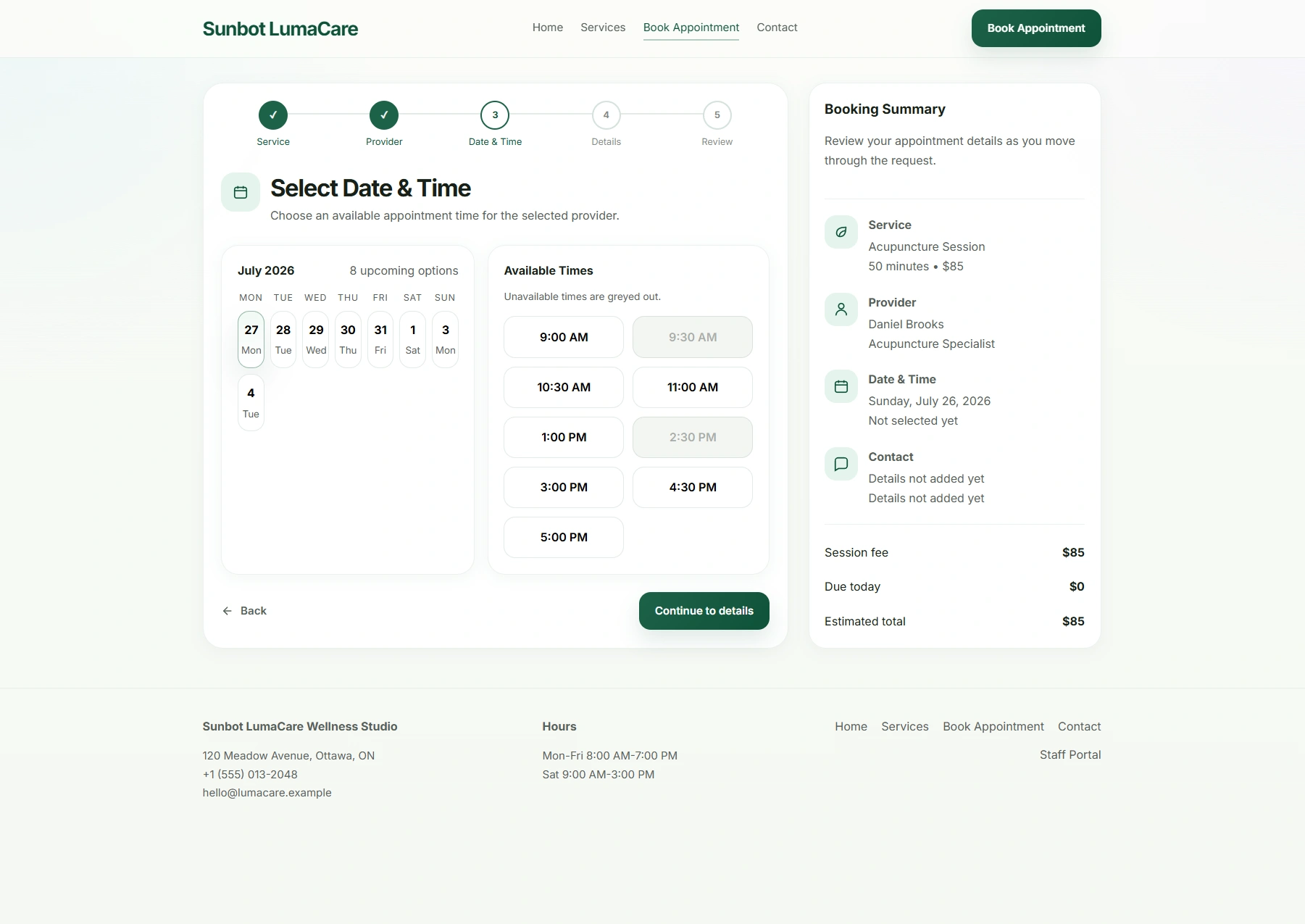
Multi-Step Booking Flow

The booking flow separates service, provider, date, time, contact details, and review into manageable steps while keeping the current selection visible.

  • Guides customers through service, provider, date, time, contact details, and review
  • Keeps progress and the booking summary visible across the journey

Booking Confirmation

The receipt confirms that the request has been captured, summarizes the selected appointment details, and explains what the customer can expect next.

  • Summarizes the selected service, provider, date, time, and customer details
  • Explains review and follow-up steps while keeping the request status visible

Appointment Dashboard

The staff dashboard combines the daily schedule, upcoming requests, appointment detail, status totals, and follow-up work in one view.

  • Summarizes today's schedule, upcoming requests, status totals, and recent activity
  • Supports filtering and confirmation, follow-up, pending, or cancellation states

Mobile Booking Experience

The mobile flow gives service and provider choices enough space to remain readable while keeping the next booking action within reach.

  • Keeps service, date, and time selection usable on smaller screens
  • Maintains clear progress and booking context throughout the mobile flow

Related project examples

Compare connected software workflows

For production use

Building something similar for your organization?

Sun Cluster builds booking and account workflows as production web applications with secure data and integrations.