Web Apps & Software

How to Plan a Document Intake and Review Workflow

Plan document intake, field review, exception queues, approval states, secure handling, and reliable export to connected business systems.

By Sunbot Labs

Updated

5 min read

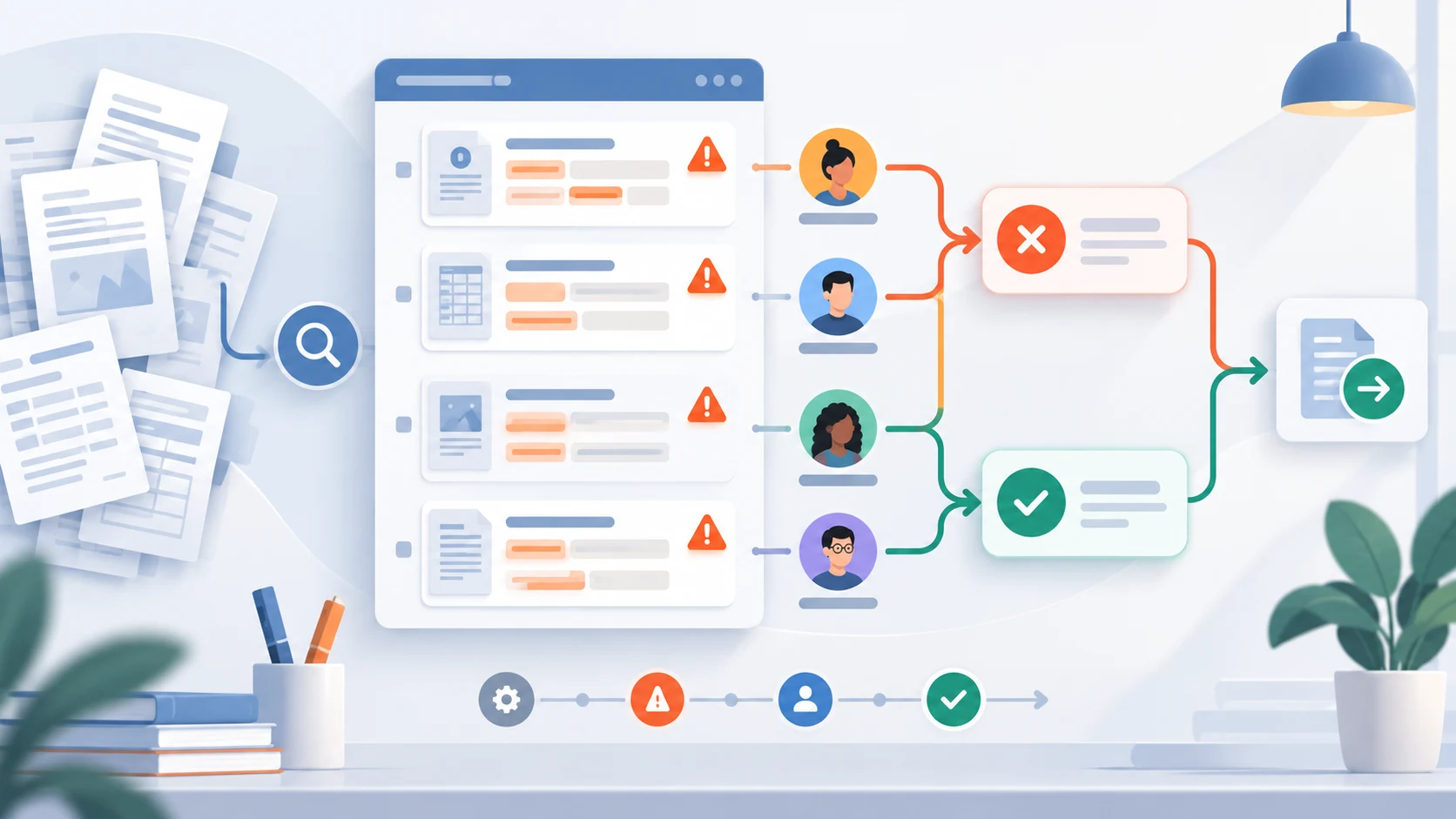
Illustration of documents moving into structured fields, validation, and review handoff

Document intake is more than an upload screen. A useful workflow identifies what arrived, which fields were found, what needs human attention, and when a reviewed record can move to the next system. ExtractFlow illustrates how those decisions can appear across intake, review, exception, and approval views.

Define the record before designing the upload

The workflow starts with the fields the business actually needs, not with a drag-and-drop component. A vendor invoice, onboarding form, insurance document, and service request may each require different fields, validation rules, owners, and downstream destinations.

Representative, non-sensitive examples help a team compare record types and review decisions during early workflow design. Before real documents are accepted, the implementation also needs secure upload, parsing, access control, storage, retention, and failure handling.

  • Document type and source
  • Required and optional fields
  • Validation and missing-information rules
  • Owner and review status
  • Approved destination
Illustration of documents moving into structured fields, validation, and review handoff

Make uncertainty visible

Confidence values are useful only when they help someone decide what to review. A low-confidence field, missing value, or validation conflict should produce a visible exception rather than a quiet assumption.

In ExtractFlow, illustrative confidence values and warning states demonstrate the review interaction. They are interface examples, not measurements of an OCR or AI service.

Illustration of uncertain document fields routed to reviewers for approval or correction

Design the exception queue around decisions

A review queue should answer why a record is present, who owns it, and which action can move it forward. Filters such as needs review, missing information, low confidence, and approved are useful when they correspond to explicit workflow states.

The detail view should preserve context: a document preview, extracted fields, warnings, edits, status history, and a clear approval or return path.

Illustration of a document exception queue grouped by missing information, warnings, owners, and decisions

Treat export as a controlled boundary

An export step may send reviewed information to a spreadsheet, accounting tool, CRM, or operations dashboard. In ExtractFlow, these destinations are shown as workflow options rather than live connections.

A production workflow would still need an agreed schema, authentication, error handling, idempotency, audit history, data retention, and a recovery path when the destination rejects a record.

  • Assign ownership for the export schema and destination record
  • Protect document identity across retries and resubmissions
  • Route rejected records to review with the source response
  • Define integration acceptance criteria separately from interface review

Plan for the people doing the review

Document workflows fail more often on human factors than on extraction accuracy. If reviewers cannot see why a field was flagged, they will either approve everything or escalate everything.

Reviewing on a smaller screen is also common in practice, particularly for approvals, so the layout should stay usable outside a desktop.

Illustration of reviewers using field evidence, warnings, ownership, and approval responsibilities

Plan security, retention, and competing versions

Treat every upload as untrusted until file type, size, and required security checks complete. Store access policy, request identity, file version, checksum, processing state, and review decision separately. A replacement should not erase the file that supported an earlier decision, and a reviewer should be warned when a newer version arrives.

Define how long original files, extracted fields, review notes, and exported records remain available, who can download them, and how deletion or legal holds affect the workflow. Avoid placing sensitive content in notification messages or logs. Test interrupted uploads, password-protected files, duplicate documents, unavailable extraction services, and access removed during review.


  • Upload and processing states remain visible to the submitter
  • Authorization is rechecked for list, preview, download, and export
  • File versions and review decisions retain their relationship
  • Retention applies to originals, derivatives, logs, and backups
  • A failed extraction creates review work rather than guessed data

Practical questions

Questions that often come up

Does ExtractFlow connect to an OCR or AI extraction service?

No. ExtractFlow uses prepared document examples and illustrative processing states. Its confidence values support the review workflow and do not represent measurements from a production OCR or AI service.

What should a document review queue show?

Why each record is in the queue, who owns it, what is uncertain or missing, and which single action moves it forward.

What is usually missed when planning document intake?

The export boundary. Teams agree on extraction long before they agree on schema, error handling, retries, and what happens when the destination system rejects a record.

Work with Sun Cluster

Planning a similar system for your organization?

Sun Cluster develops document and operations software with review queues, permissions, integrations, and audit history.