
Is an event-action-owner map tied to a particular automation platform?
No. It describes the operating contract. The same map can be implemented with an automation platform, custom service, scheduled job, or a combination.
Automation & Integrations
Create an automation map that identifies triggers, business records, rules, owners, deadlines, and evidence before selecting tools or connectors.

How the workflow connects
Automation diagrams often show boxes connected by arrows but omit who owns the work when a condition is unclear. An event-action-owner map keeps the business process visible: what happened, which record changed, what rule applies, who is responsible, and how completion is confirmed.
Replace “when Zap runs” with a specific event such as quote accepted, document received, payment confirmed, or request overdue. Record the source system, event identifier, time, relevant record, and whether the event can arrive more than once.
A polling job that discovers a change can produce the same internal event as a webhook. Keeping the business event separate from the delivery method makes the workflow easier to change later.
Sending a message, creating a task, updating a CRM stage, or requesting approval should advance a known record. Define the required current state, the action, expected result, and evidence of success. If an external API accepts a request but completes it later, keep the record pending until confirmation arrives.
List conditions that require judgement: missing customer information, a high-value request, conflicting records, or an approval outside policy. Route those cases to a queue with context, an owner, and a response target instead of forcing an automatic branch.
Store a stable event or action identifier so a retry cannot create duplicate invoices, messages, or tasks. Confirm completion from the system that owns the result, and schedule reconciliation for records left pending beyond the normal window.
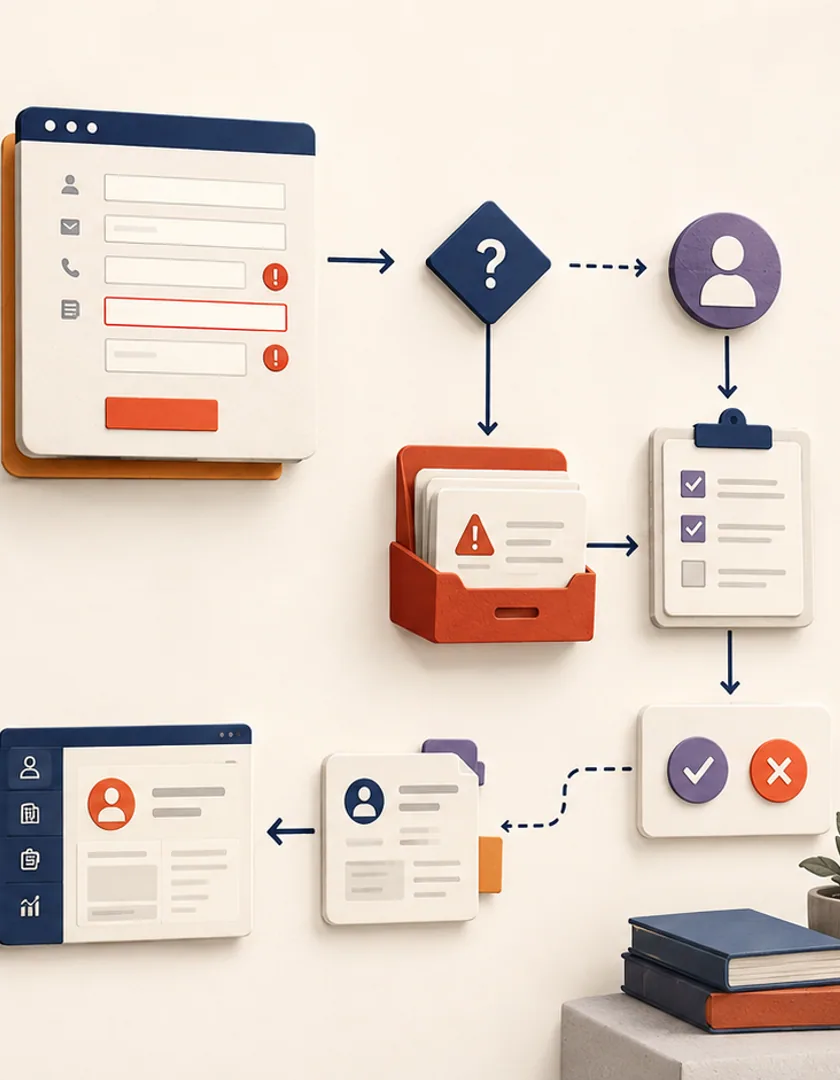
Consider a service company that receives an estimate request from its website. The submission itself is only the trigger. The useful business record is the enquiry, which needs a stable identifier, contact details, service interest, consent evidence, source, and received time. Validation can create the record immediately while routing incomplete submissions to review instead of discarding them.
A qualification rule might assign enquiries by service area and location. If the rule finds a clear match, it assigns an owner and creates a response task. If the location is outside the normal area or a required detail is missing, the workflow creates an exception for the intake team. In both paths, the CRM—not the form provider—confirms whether the enquiry and next action were created successfully.

Visual guide
The automation remains understandable because every technical action corresponds to a business record, decision, or owner.
Estimate submitted
Capture the source event, consent, and stable submission identifier.
Enquiry validated
Create the business record or route missing information for review.
Routing rule applied
Match service area and location without guessing uncertain cases.
Owner assigned
Create a visible response task with a due time and escalation path.
Completion checked
Confirm the CRM record and task exist before closing the event.
A planning map should identify judgement that remains with people. An automation can verify that a postal code is inside a configured area; it should not invent an exception for an important prospect. It can detect that two customer records share an email address; it should not silently merge them when ownership is uncertain.
Run the map against normal, incomplete, duplicate, late, and replayed events before choosing a platform. For each case, state the final record status, the evidence retained, the person who can intervene, and how processing resumes. Those examples become implementation tests and operating instructions instead of being rediscovered after launch.
Practical questions
No. It describes the operating contract. The same map can be implemented with an automation platform, custom service, scheduled job, or a combination.
Yes. Automation coordinates work as well as executing it. Human review, approval, and exception handling need explicit records and ownership.
Continue exploring
Work with Sun Cluster
Sun Cluster builds workflow automation around explicit triggers, records, business rules, human decisions, and operational recovery.