
Should profit and loss be the main dashboard metric?
It may be relevant to an authorized operator, but it does not replace runtime, connectivity, order-state, control, and incident visibility needed to operate the software.
Trading Systems
Organize runtime state, data freshness, strategy decisions, orders, positions, controls, and incidents into an operations-focused trading dashboard.

How the workflow connects
Charts can provide market context, but operating automated software requires a different information hierarchy. The primary view needs current runtime state, connectivity, data freshness, recent decisions, order progress, controls, and unresolved incidents. Together, those elements give operators the evidence they need to understand and manage the workflow without implying financial performance.
Show paper, demo, or live environment; running, paused, stopping, or stopped state; live-enable status; deployed version; last heartbeat; and active incident count. These details answer whether the system is permitted and able to act before a person interprets charts or statistics.
Display the latest market-data time, source connection, expected cadence, and stale-data threshold. A recent strategy evaluation based on old input should not appear healthy. Link each decision to input timestamps, rule version, result, and reason code.
Group requested, submitted, accepted, open, partially filled, filled, cancelled, rejected, and uncertain records with broker identifiers and update times. Show local and broker-reported state when they differ. Positions should link back to the executions that created them where the broker data supports that relationship.
Pause, resume, cancel, and emergency actions need role checks, confirmation of scope, a server-side state change, and a visible result. Incidents should identify affected strategies or connections, owner, acknowledgement, recovery notes, and whether reconciliation is complete.
An order request times out after submission. The dashboard should show the strategy and system state, client order ID, broker connection, last confirmed event, and an unknown submission result. It should not display failed merely because the response was not received. The operator needs a controlled lookup or reconciliation action before another submission is possible.
If the broker reports an open order, the local record links to that broker order and continues through its lifecycle. If no order is found after the defined checks, an authorized operator can decide whether the request is safe to retry. The incident history retains the timeout, queries, observed broker state, decision, and eventual resolution.
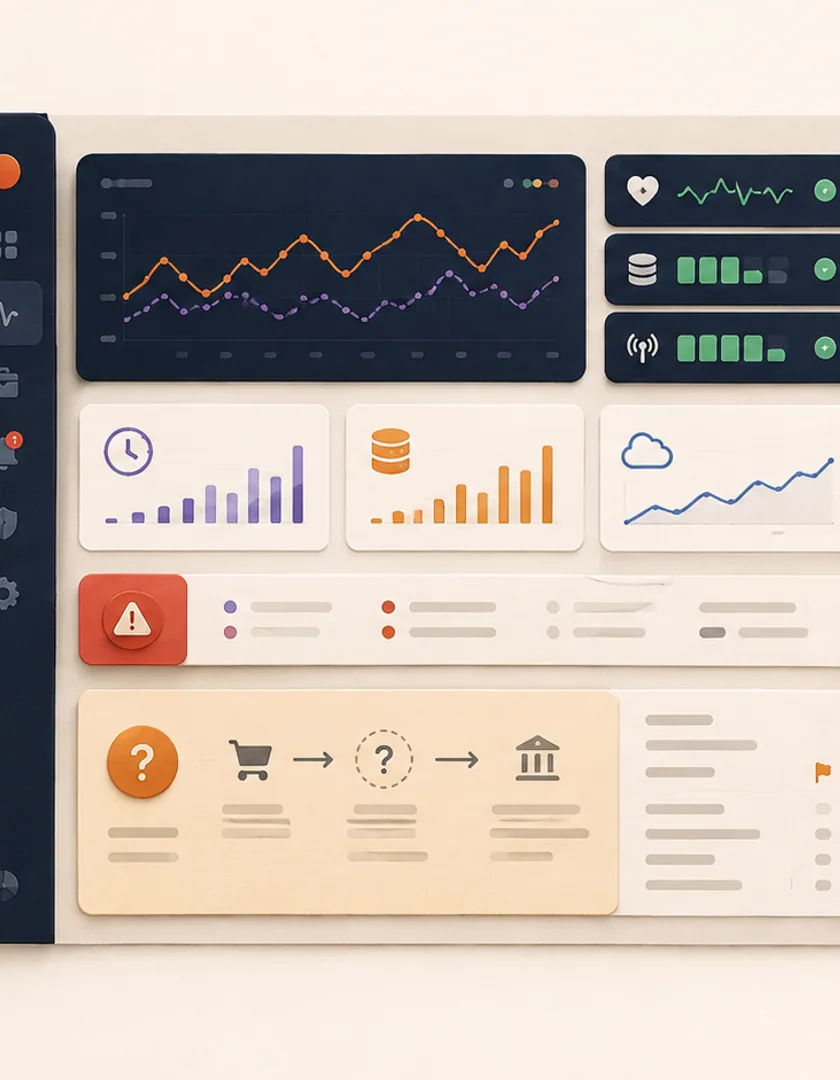
Visual guide
The first screen supports quick operating decisions while preserving a path to the events behind each status.
Operating state
Mode, enabled strategies, pause state, and connection health.
Freshness
Last market, account, order, and heartbeat updates with source.
Order lifecycle
Requested, accepted, open, partial, terminal, and uncertain states.
Exceptions
Rejected, stale, disconnected, duplicate, and reconciliation work.
Controls
Authorized pause, resume, cancel, acknowledge, and recovery actions.
Evidence
Trace IDs, source payloads, attempts, decisions, and audit history.
Monitoring access, strategy configuration, live enablement, order cancellation, and incident closure should not automatically belong to the same role. Define which actions require reauthentication, a second approval, a reason, or a maintenance window. Controls must call the same guarded backend workflow as any automated action; a dashboard button is not a shortcut around state rules.
Decide who reviews the dashboard at startup, during operation, after an alert, and at handoff. Useful routines include checking data freshness before enablement, reviewing unresolved discrepancies, confirming alert ownership, and recording configuration changes. Test narrow screens and degraded states so critical controls do not disappear when the system is under stress.

Practical questions
It may be relevant to an authorized operator, but it does not replace runtime, connectivity, order-state, control, and incident visibility needed to operate the software.
No. The interface should confirm the application's state and separately show the resulting broker or venue state. Open orders and positions may require their own actions and reconciliation.
Continue exploring
Work with Sun Cluster
Sun Cluster builds private trading systems with client-defined rules, operational dashboards, broker integration, and monitoring.