
How often should broker reconciliation run?
Choose frequency based on the operating workflow, broker limits, stream reliability, and consequence of drift. Use faster checks for uncertain requests and broader scheduled reviews for completeness.
Trading Systems
Compare local order and execution records with broker snapshots using durable observations, discrepancy types, ownership, and controlled resolution.

How the workflow connects
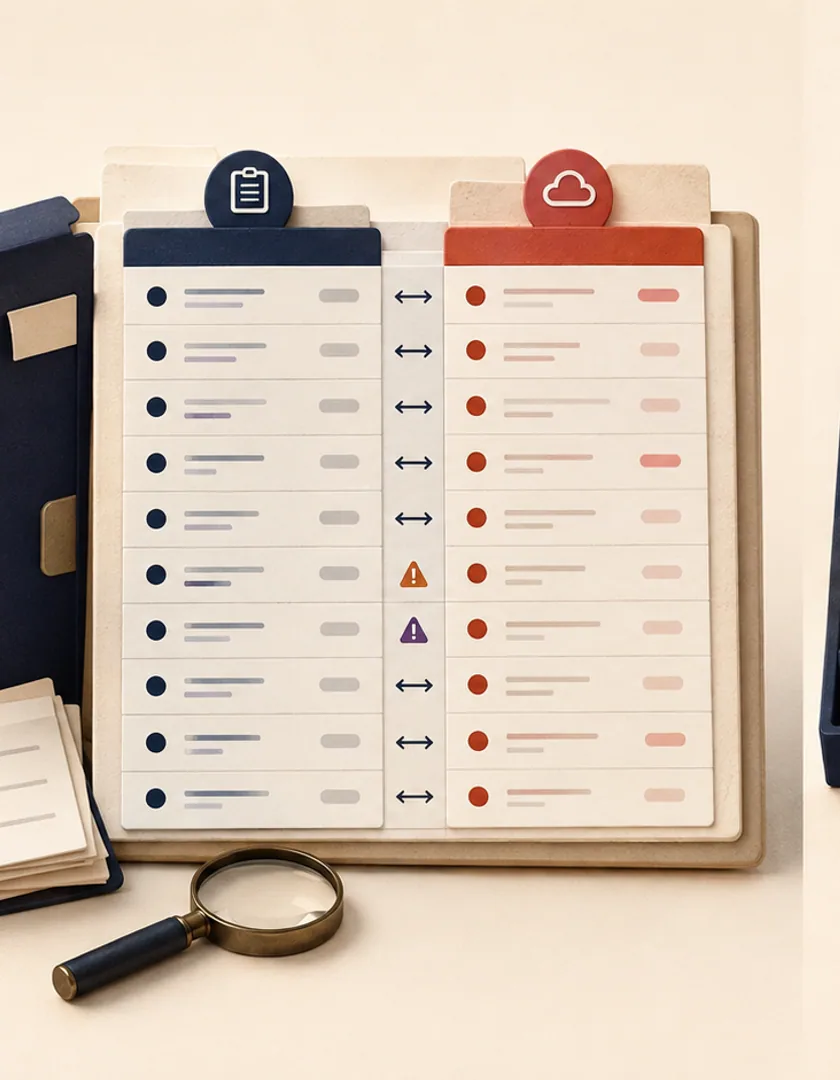
Streams and request responses can be delayed, missed, or interpreted incorrectly. A reconciliation ledger provides a separate record of what the application expected, what the broker reported at a known time, and how any discrepancy was resolved. It supports software operations and does not imply a trading outcome.
Record the reconciliation run, connection, environment, query window, source time, received time, and broker response reference. Match broker records to local requests using client and broker identifiers. Keep both local and observed fields when they differ.
Examples include local order missing broker ID, broker order missing locally, state mismatch, filled-quantity mismatch, duplicate local mapping, unrecognized execution, or stale local update. Each type should define severity, automatic checks, owner, and permitted resolution.
The system may attach a broker identifier when the match is unambiguous or apply a later confirmed state. It should not submit, cancel, or alter an order merely to make records agree unless that action is part of an explicit, authorized recovery policy.
Reconcile a recent overlap window and maintain a separate schedule for older open or uncertain records. Advance checkpoints after observations are stored, not after every discrepancy is resolved. Later broker events can update the discrepancy while preserving the earlier evidence.
Suppose the local system records an order as open while the broker snapshot reports it filled. Add the broker observation with source time, retrieval time, broker order ID, quantities, prices, and raw status. Create a discrepancy that links both facts and classifies the required response. Do not overwrite the local event history to make the records appear consistent.
The resolution may apply a missing fill event, mark a stale local projection for rebuild, or require review because identifiers do not match. If an automated repair is allowed, record the rule and resulting events exactly as a manual resolution would. Financial calculations and positions should be recomputed from confirmed facts according to the system design.
| Difference | Likely class | Response |
|---|---|---|
| Broker order missing locally | Unmatched venue record | Investigate identity before import |
| Local open; broker filled | Missing lifecycle event | Retrieve source detail and apply confirmed event |
| Quantity differs | Partial fill or mapping issue | Compare source fills and units |
| Local request absent at broker | Unknown submission result | Check attempts and broker history before retry |
| Same facts; stale projection | Read-model lag | Rebuild projection without changing source events |
Run comparison at startup, after reconnect, on a schedule appropriate to the workflow, and before clearing uncertain incidents. Checkpoints can limit the time range, but include overlap and open records so late events are not skipped. Monitor unmatched identities, discrepancy age, automatic repair volume, repeated categories, and ledger runs that did not complete.
Give operators search, evidence, ownership, resolution options, and a way to reopen an incorrect resolution. Restrict repair actions by role and require reasons for consequential changes. Reconciliation verifies software records against broker-reported facts; it does not validate a strategy or provide investment advice.

Visual guide
The process observes both sides, classifies differences, resolves them through controlled events, and verifies the result.
Collect
Load local durable state and broker-reported orders, fills, and positions.
Match
Use stable local and venue identifiers with connection context.
Compare
Check lifecycle, quantities, and relevant source versions.
Resolve
Apply a safe event, rebuild a projection, or assign review.
Verify
Run comparison again and retain the resolution evidence.
Practical questions
Choose frequency based on the operating workflow, broker limits, stream reliability, and consequence of drift. Use faster checks for uncertain requests and broader scheduled reviews for completeness.
No. Streams provide timely events. Reconciliation provides an independent comparison that can recover missed updates and detect disagreement.
Continue exploring
Work with Sun Cluster
Sun Cluster develops broker integrations with durable order records, reconciliation, monitoring, and controlled recovery paths.